
 By
By 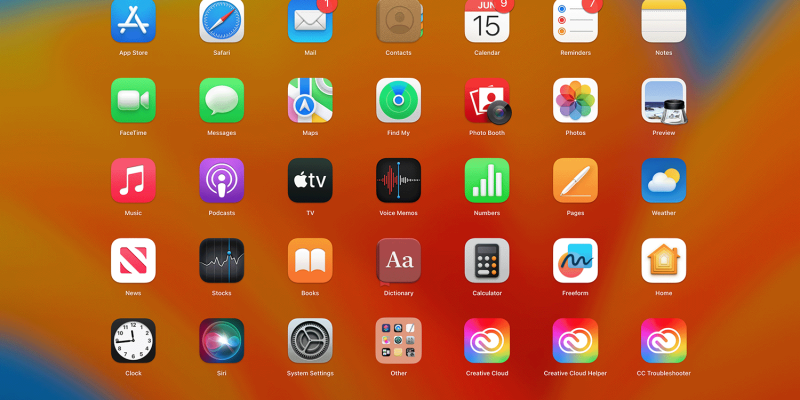
In today’s digital world, the term application is used constantly. From messaging friends to managing businesses, applications power nearly every digital activity. An application—often called an app—is software designed to perform specific tasks for users.
Applications simplify complex operations, automate repetitive tasks, and provide convenient solutions for personal, educational, and professional needs. Whether on smartphones, tablets, or computers, applications have become a fundamental part of modern technology.
What is an Application?
An application is a software program developed to help users perform specific activities or solve particular problems. Unlike system software that manages hardware, applications focus on user-oriented tasks.
Examples include writing documents, editing photos, sending emails, booking transportation, and managing finances.
Key Characteristics of an Application
- Designed to perform specific functions
- Provides a user-friendly interface
- Runs on devices like computers, smartphones, tablets, or web browsers
- Often interacts with other software or online services
- Can be updated or customized to improve functionality
Applications are built using programming languages and software frameworks that allow developers to create useful digital tools.
Types of Applications
Different categories of applications exist depending on the platform and purpose. Each type serves unique user needs.
1. Desktop Applications
Desktop applications are installed directly on a computer system and run locally.
Examples include:
- Word processors
- Graphic design software
- Video editing tools
- Accounting software
These programs typically offer powerful features and do not always require internet access.
2. Mobile Applications
Mobile applications are designed specifically for smartphones and tablets.
Common examples include:
- Social media apps
- Navigation apps
- Banking apps
- Fitness tracking apps
Mobile apps are optimized for touch interfaces, portability, and convenience.
3. Web Applications
Web applications run in a web browser and do not require installation on a device.
Examples include:
- Email platforms
- Online shopping websites
- Cloud storage services
- Project management tools
These applications operate through the internet and are accessible from multiple devices.
4. Enterprise Applications
Enterprise applications are designed for large organizations to manage operations.
Typical functions include:
- Human resource management
- Customer relationship management
- Supply chain management
- Data analytics
These applications help businesses increase efficiency and streamline processes.
5. Hybrid Applications
Hybrid applications combine features of both web apps and mobile apps. They are developed using web technologies but packaged like mobile apps.
Advantages include:
- Cross-platform compatibility
- Faster development
- Reduced cost compared to native apps
Major Uses of Applications
Applications play an important role in nearly every industry. They help individuals and organizations improve productivity and access information quickly.
Communication
Applications enable instant communication across the world.
Common features include:
- Messaging
- Voice calls
- Video conferencing
- File sharing
These tools support personal conversations and professional collaboration.
Business Management
Companies rely on applications for efficient operations.
Important uses include:
- Inventory tracking
- Financial management
- Employee scheduling
- Customer data management
Applications reduce manual work and improve accuracy.
Education and Learning
Educational applications provide digital learning experiences.
They help with:
- Online courses
- Virtual classrooms
- Language learning
- Interactive quizzes
Students and teachers benefit from flexible and accessible learning platforms.
Entertainment
Applications offer numerous entertainment options.
Examples include:
- Music streaming
- Video streaming
- Gaming
- Digital reading platforms
Users can access entertainment anytime and anywhere.
Healthcare Services
Healthcare applications assist doctors and patients with medical services.
Typical features include:
- Telemedicine consultations
- Health monitoring
- Appointment scheduling
- Medical record management
These tools improve healthcare accessibility and efficiency.
Advantages of Applications
Applications bring many benefits that enhance everyday life and work.
Major advantages include:
- Convenience: Tasks can be completed quickly and easily
- Efficiency: Automation reduces time and effort
- Accessibility: Information and services are available anytime
- Productivity: Businesses and individuals can manage tasks effectively
- Customization: Many apps allow personalization according to user needs
Because of these advantages, the demand for applications continues to grow rapidly.
Challenges and Limitations
Despite their benefits, applications also present certain challenges.
Some common issues include:
- Security risks such as data breaches
- Compatibility problems between devices and platforms
- Frequent updates required for performance improvements
- Dependence on internet connectivity for some apps
- Privacy concerns related to user data collection
Developers constantly work on improving security and reliability to address these concerns.
Future of Applications
Applications will continue evolving as technology advances. Emerging technologies such as artificial intelligence, cloud computing, augmented reality, and blockchain are already influencing app development.
Future applications may feature:
- Smarter automation powered by AI
- Voice-controlled interfaces
- More immersive augmented reality experiences
- Stronger data protection systems
- Greater integration across devices and platforms
As digital transformation accelerates, applications will remain central to innovation and daily life.
FAQ
1. What is the difference between software and an application?
Software is a broad term that includes all computer programs, while an application is a specific type of software designed to help users perform tasks.
2. Why are applications important in modern technology?
Applications make digital devices useful by allowing users to perform tasks such as communication, productivity, entertainment, and data management.
3. What programming languages are used to build applications?
Common languages include Java, Python, C++, Swift, Kotlin, JavaScript, and C#, depending on the platform and purpose.
4. What is the difference between a web app and a mobile app?
A web app runs inside a browser and requires internet access, while a mobile app is installed on a smartphone and optimized for mobile hardware.
5. Are applications safe to use?
Most applications are safe when downloaded from trusted sources, but users should be cautious about permissions, data sharing, and security updates.
6. What is a cloud-based application?
A cloud-based application runs on remote servers instead of a local device and is accessed through the internet.
7. Can one application work on multiple platforms?
Yes. Many developers create cross-platform or hybrid applications that work on multiple operating systems such as Android, iOS, and web browsers.










Comments